
Interior design visualiser software
AI Interior Design Visualiser for Interior Designers
Let clients upload a photo of a room, compare interior styles your studio can deliver, and move toward a consultation with a clear before-and-after result.
Living rooms, bedrooms, colour schemes, furniture layouts, flooring, lighting, soft furnishings, decor, room packages and consultation steps can be set up to match the way your studio sells design projects.
- Living rooms
- Bedrooms
- Furniture
- Flooring
- Colour schemes
- Full room looks
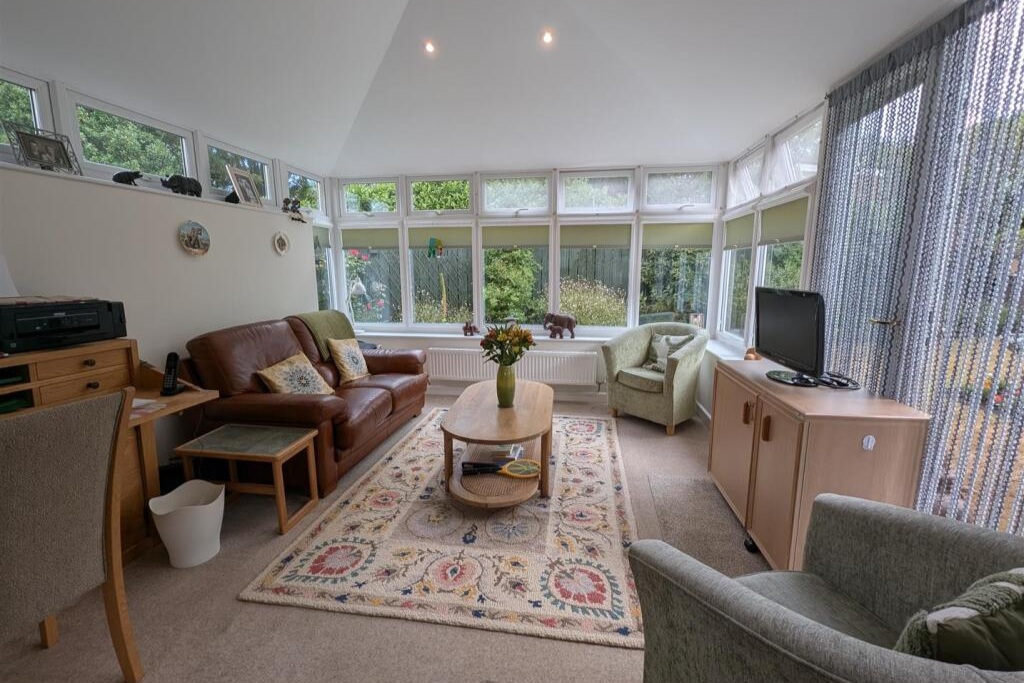
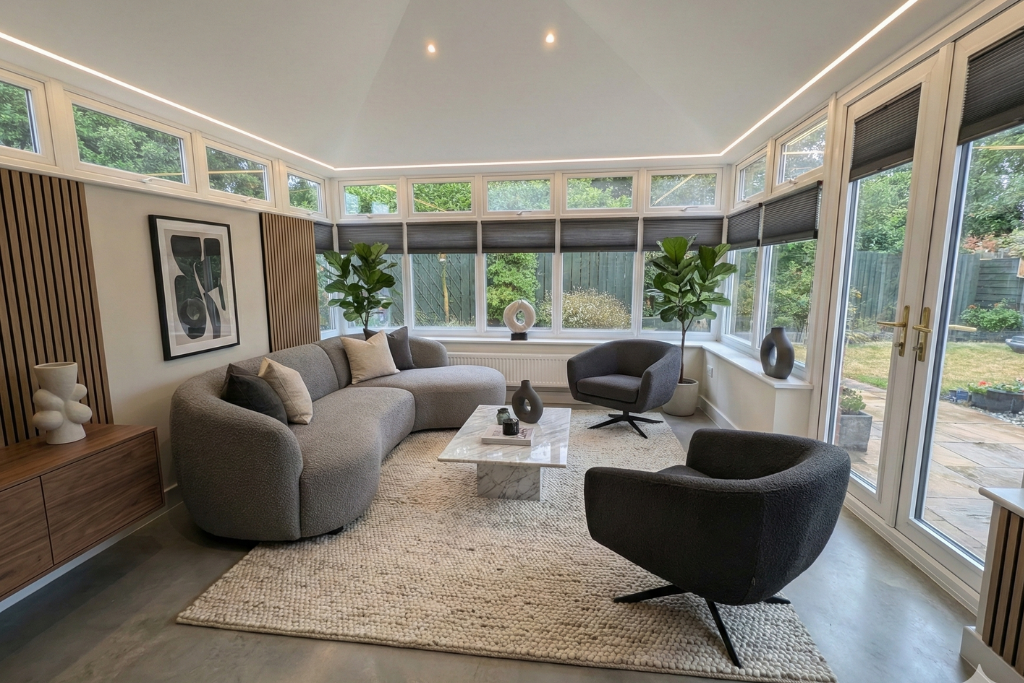
Each visual result can be emailed to the client with a clear next step, giving your team a warmer design conversation to follow up.
Book a ConsultationExample shown with an interior design makeover. Your visualiser can be configured around the exact styles, packages and enquiry options your studio sells.
Interior design visualiser in action
From room photo to design enquiry.
Interior design clients often stall because they cannot picture how a space will feel from mood boards, fabric samples or Pinterest inspiration. See It Done gives them a branded way to upload their own room photo, explore a realistic design direction and take the next step while interest is high.
The showcase rotates through different contractor examples. Your interior design visualiser is configured around your brand, your room styles, your service options and your consultation CTA.
Embedded interior design visualiser
Let clients visualise their room anywhere.
The strongest setup is usually embedded on your own website, where visitors already trust your brand and can move from browsing design ideas to requesting a consultation.
The same branded interior design visualiser can also run as a standalone link for adverts, social campaigns, email follow-up, showroom visits and live design calls.
Add the interior design visualiser to your existing site so clients can upload a room photo, choose a style and request a consultation in one branded flow.
Share a focused interior design visualiser page from ads, social posts, emails, WhatsApp or follow-up messages.
Use it during consultations, discovery calls or showroom appointments, then send the visual result to the client with a consultation CTA.
Fonts, colours, wording, images, steps, options and enquiry questions can all match your studio.
Design choices
Show the decisions that slow interior design enquiries down.
An interior design visualiser helps clients compare visible style choices before they ask for a consultation or quote. It is not replacing your design process; it is helping more people enter that process with a clearer idea of the room they want.
Room style and layoutHelp clients compare modern, classic, minimalist, cosy or luxury room directions using their own space as the starting point.
 Finishes, colours and flooring
Make wall colours, flooring, rugs, curtains, materials and finish choices easier to picture before a design consultation.
Furniture, decor and lightingShow how furniture placement, lighting, artwork and soft furnishings can transform the way the room feels.
- Wall colours
- Flooring
- Furniture
- Lighting
- Soft furnishings
- Room mood
credits / images included so your interior design business can start using the visualiser with real clients.
Branding, wording, colours, styles, steps and consultation questions can be tailored to your studio.
We can add the interior design visualiser to your website for you, so the launch is not left to your developer.
Embed it on your website, share it as a standalone link, or use it directly with clients on any device.
More than inspiration
Turn room ideas into warmer enquiries.
A client who can see their own room transformed is much easier to speak to than someone who only has a vague idea from inspiration boards. See It Done gives them a visual answer first, then guides them toward a consultation request with the before-and-after attached.
For the wider interior design sales workflow, see our AI for interior designers page.
The journey starts with their real room, making the result personal and the enquiry more specific.
The visualiser can use your design packages, style options and consultation questions.
The result can be followed by a clear CTA, helping interest become a design conversation.
Open it on a tablet, desktop or phone during a live client conversation.
Client journey
From browsing interiors to requesting a consultation.
Upload
The client starts with a real photo of the room or space they want to improve.
Choose
They select from the room styles, finishes and options your studio wants to promote.
Visualise
See It Done creates a before-and-after preview that helps the client picture the finished room.
Enquire
The result can be emailed with a consultation CTA so your team can follow up with context.
Fully configurable
A visualiser shaped around your interior design studio.
The flow can match your brand, services and design process, so it feels like a natural part of your website rather than a third-party widget bolted on afterwards.
- Brand match: colours, fonts, images, buttons and wording can be tailored to your studio.
- Service match: room types, design packages, colour schemes, finishes, furniture styles and consultation questions can reflect what you actually sell.
- Email follow-up: before-and-after results can be sent with a consultation CTA and your preferred messaging.
- Sales flexibility: use it embedded on your website, as a standalone link, or directly during a client consultation.
Included launch support
Keep exploring
See how See It Done fits into your sales process.
Start with the interior design visualiser, then explore how See It Done supports wider home improvement businesses and quote journeys.
FAQ
Questions before you launch.
Can See It Done customise the interior design visualiser to my business?
Yes. The visualiser can be customised around your branding, room styles, design packages, fonts, colours, images, steps, options and consultation journey.
Can you add the visualiser to my website?
Yes. See It Done can add the visualiser to your website for free, so your team can launch without handing setup to a developer.
What do the 100 free credits include?
You can start with 100 free credits / images, giving your interior design business a real chance to test client engagement and consultation conversion.
Does the client receive the before-and-after?
The visualisation flow can email the before-and-after result to the client, along with a consultation CTA that brings them back to your business.
Is this a full interior design tool?
See It Done is built for visualising and converting interest, not replacing your design expertise, technical drawings or full project planning. It helps more clients reach those sales steps with a clearer idea of what they want.
Ready to launch
Start with 100 free interior design visualisations.
Get a branded interior design visualiser customised to your studio, added to your website, and ready to turn client photos into consultation-ready conversations.
- Free customisation
- Free website install
- 100 free credits / images
- Embedded or standalone
Launch the visualiser, send clients their before-and-after results, and give your team a warmer reason to follow up.